

Running Claude as a Backend Service: How We Build AI-Powered Web Applications on AWS
Wed, Feb 11, 2026 •5 min read
The AI revolution is transforming how we build software. But there's a gap between the impressive capabilities of large language models and the practical expectations of business users who need familiar, reliable interfaces. At Rumble Fish, we've developed an architecture that bridges this gap - running Claude as a backend microservice that powers traditional-looking web applications with AI-driven intelligence.
The Traditional Way: Claude as a Developer Tool
Most developers know Claude as either a built-in code assistant in popular IDEs like VS Code or Cursor, or as a standalone desktop application where you type prompts and get responses. These interfaces work great for technical users who are comfortable with conversational AI. But what about everyone else?
The Challenge: AI for Non-Technical Users
At Rumble Fish, we've seen growing interest from clients who want to automate work that requires thinking and creativity - tasks that go beyond simple rule-based automation. Content analysis, document processing, research synthesis, and decision support - these are areas where AI excels.
The challenge? Most business users expect traditional browser-based interfaces. They're not comfortable typing prompts into a chat window and interpreting unstructured responses. They want buttons, forms, dashboards, and predictable workflows. How do we reconcile the creative, flexible nature of AI agents with the structured expectations of enterprise software?
Our Solution: Claude as a Microservice
We run Claude as a containerized service on AWS. Here's how it works:
The Container Setup
We package Claude using the Claude SDK inside a Docker container, deployed as an ECS task. Each container includes:
- A checkout of a repository containing a `CLAUDE.md` file
- Skill definitions and scripts specific to the client's use case
- All the context the agent needs to perform its specialized tasks
The `CLAUDE.md` file acts as the agent's instruction manual - defining its role, output formats, and behavioral guidelines. This gives us precise control over how the agent operates while maintaining the flexibility that makes AI valuable.
Persistence Through S3 Sync
At the start and end of each task, we run `aws s3 sync` to synchronize the agent's working directory with an S3 bucket. This simple mechanism provides:
- State persistence: The agent accumulates knowledge between invocations
- Audit trail: Every file the agent creates is preserved
- Easy integration: Other services can read the agent's outputs directly from S3
The Architecture in Detail
When a user interacts with our web interface, here's the sequence of events:
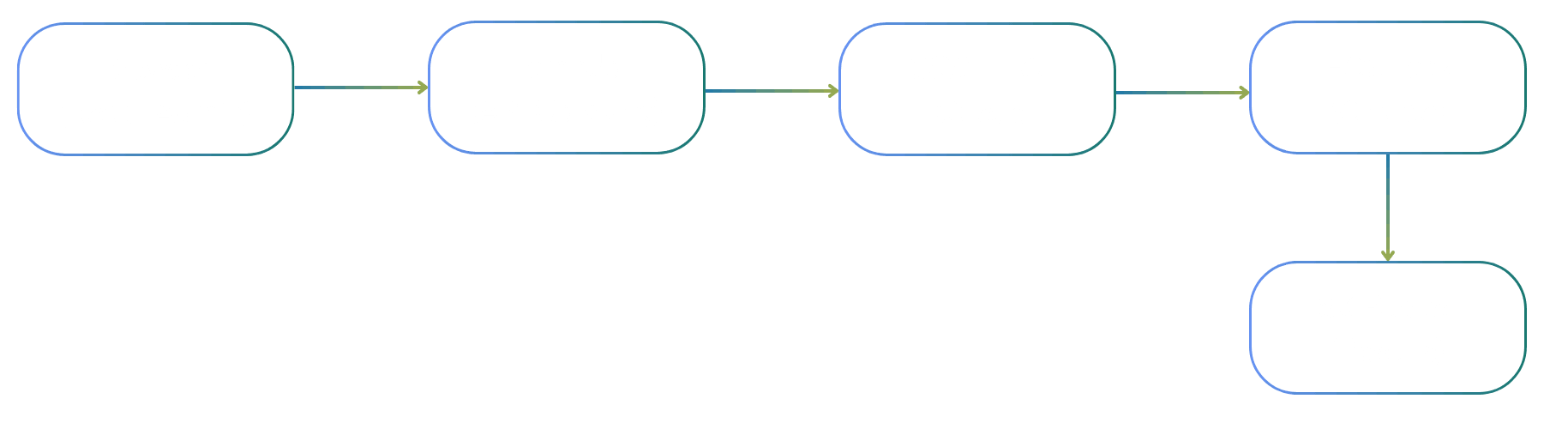
- User Action: The user clicks a button or submits a form in our React Admin interface
- Backend Processing: A Lambda function (exposed via API Gateway) receives the request and constructs a prompt for the agent
- Queue Management: The prompt goes into an SQS FIFO queue, ensuring ordered processing and preventing concurrent executions
- Agent Execution: An ECS task spins up, the agent processes the prompt, and generates its outputs
- Result Storage: Output files are synced back to S3, task metadata (ARNs, status) is stored in our database, and logs end up in another S3 bucket
Why SQS FIFO?
The FIFO queue is crucial. While the agent is running, queue consumption is blocked. This prevents race conditions and ensures the agent always works with a consistent state. It also gives us natural backpressure - if requests come in faster than the agent can process them, they queue up gracefully.
Structured Output, Flexible Presentation
We instruct the agent (via `CLAUDE.md`) to save its analysis in markdown format at predictable locations. This gives us:
- No custom UI development: Markdown renders beautifully with minimal effort
- Flexibility: The agent can structure its output however makes sense for the task
- Readability: Non-technical users can read and understand the results directly
The admin interface simply presents the contents of the S3 bucket. It doesn't need to understand what the agent does; it just displays what the agent produces.
The Result: AI That Feels Like Software
The end product looks and feels like a standard web application. Users see familiar interfaces - lists, forms, buttons, dashboards. They don't need to learn prompt engineering or understand how AI works. But behind that familiar facade, Claude is doing work that would be impossible with traditional software: synthesizing information, making judgment calls, generating creative solutions, and adapting to edge cases that no developer anticipated.
It's the best of both worlds: the reliability and usability of traditional software, combined with the intelligence and adaptability of modern AI.
Proven in Production
At Rumble Fish, we're currently running three different projects using this architecture. Each solves a different problem, but they share the same pattern:
- Automate work that requires thinking, not just data shuffling
- Present results through interfaces that traditional users understand
- Maintain full auditability and control over the AI's behavior
This approach is becoming our go-to solution for a wide range of problems. The common thread: bridging intelligent automation with familiar user experiences.
Is This Right for Your Organization?
If your team is exploring AI adoption but worried about user acceptance, complex integrations, or unpredictable behavior, this architecture might be the answer. It lets you harness AI capabilities while maintaining the control and predictability that enterprise environments demand.
Thinking about bringing AI into your workflows? Book a free consultation with our team. We'll help you identify opportunities and design an approach that fits your needs.
Marek Kowalski
CTO / Founder
Recent posts